Bonus Weightage Setup
Why should I use this form?
This form is used for setting up Bonus Weightage for Compensation Group.
What are the Pre-requisites?
Compensation Calendar and Salary Range
Who can access this form?
This form shall be visible to all employees to whom the visibility is given in Setup HRMS ® Module Role Mapping/ Module Administration.
How to navigate to this form?
Performance Alignment à Compensation Planning & Administration à Bonus Weightage Setup.
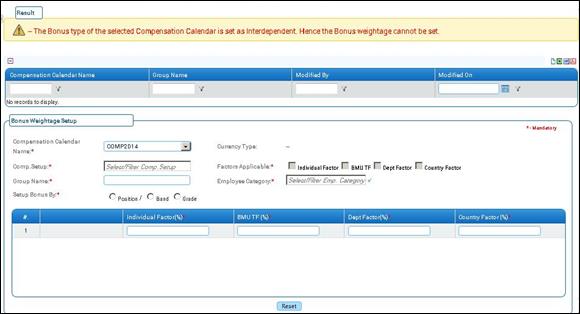
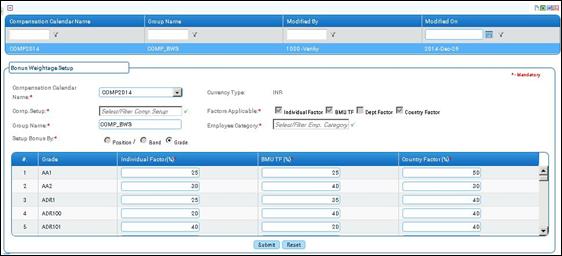
Figure 4 Bonus Weightage Setup
Click the [+] icon on the left top of the grid to show / hide the grid. By default grid will be disabled.
The field guidelines are as follows:
Field Name |
Description |
Compensation Calendar Name |
Select the compensation calendar from the dropdown. |
Comp.Setup |
Select the Comp.Setup for calculation. Created Comp.Setup under selected Compensation Calendar will be available in Comp.Setup dropdown. |
Group Name |
Enter the Group Name. |
Setup Bonus By |
Based on the Compensation Calendar selection ‘Setup Bonus By’ (Position/Band, Grade) will be enabled. |
Currency Type |
Based on the Compensation Calendar selection, the Currency type will be automatically displayed in the Currency Type field. |
Factors Applicable |
The factors applicable selected in the compensation calendar will be displayed and checked in the Factors Applicable field. |
Employee Category |
Select the Employee Category. |
Click [Submit] to save the details.
Click [Reset] to refresh the form.
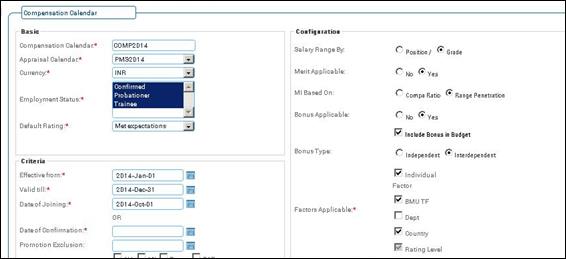
Note: If we choose Bonus type as Interdependent in Compensation Calendar, then Bonus Weightage Setup will not be enabled.