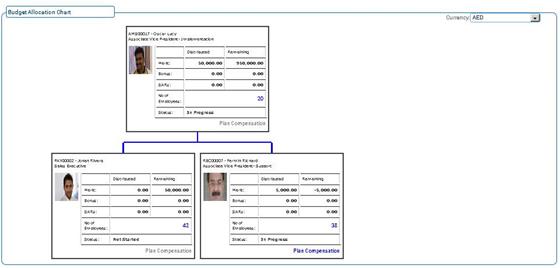
Budget Allocation Chart
Why should I use this form?
This form is used to view the allocated budget in chart format of the employee’s under their Manager’s.
What are the Pre-requisites?
Budget Allocation
Who can access this form?
This form shall be visible to all employees to whom the visibility is given in Setup HRMS ® Module Role Mapping/ Module Administration.
How to navigate to this form?
Performance Alignment à Compensation Planning & Administration à Budget Allocation Chart.
Budget Allocation Chart displays the following
· Employee ID & Employee Name
· Role
· Merit Budget Remaining
· Bonus Budget Remaining
· SARs Budget Remaining
· No of Employees – It shows how many employees are allocated by the manager.
Status – Not Started/In Progress/Submitted/Approved
Plan Compensation – On clicking it takes you to Manager Console form.