Training Appraisal Mapping
Why should I use this form?
This form facilitates mapping training courses to employees based on training recommended in the appraisal process and through Career Development.
During the Performance Appraisal Process, it is possible for the Appraiser to recommend specific training that they feel the appraised employee should undergo. After the Normalization process is completed in Appraisal.
Through Career Development based on the comparison of Current Skill Level and Expected Skill Level against Position level and employee recommend himself/herself to improve hi/her skills by attending training courses.
The recommended training gets listed in this form, enabling the Training Role Player to act on them.
What are the Pre-requisites?
Appraisal should have been conducted for the employee.
Who can access this form?
This form shall be visible to all employees to whom the visibility is given in Setup HRMS ® Module Role Mapping/ Module Administration.
How to navigate to this form?
Talent Development à Training à Training Appraisal Mapping.

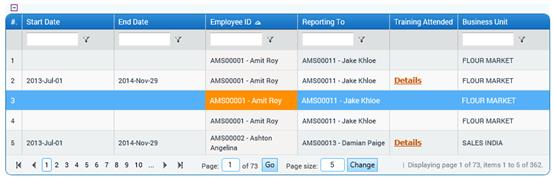
1. The grid in the form displays the list of employees for whom normalization process has been completed and they are marked with ‘training required’ option.
2. Select employee from the grid. The recommended training for that employee is displayed in the ‘Identified Training Needs’ Box. The Training Manager has to map this list against the list available under the box for ‘Select Courses’. If the course suggested is not available in the ‘Select Course’ list then the Training Manager can select ‘Others’. On selecting others the ‘Comments’ Box becomes editable and the details of the specific course can be entered in this box.
3. Enter comments, if any (this field is editable when you select ‘Others’ in the ‘Select Course’ Box).
4. Click [Submit] to save the details.
5. Clicking [Reset] will clear/refresh the form.
Note: When the training courses are mapped, the column ‘Course Recommended’ in the ‘Course Registration’ Form and ‘Status of Course Schedule’ Form will appear with a link. This will only appear for the mapped courses. On selecting this link a list will pop up for the employees who have been mapped to this course. The training manager can thus –
Schedule a Course for such employees using the Course Registration form to identify which course needs to be scheduled for employees who have gone through the Appraisal process.
Courses, which have already been scheduled, can accommodate an employee who have gone through the Appraisal process and for whom training appraisal feedback has been mapped to the training. The Training Coordinator can click on the Link for course recommended for the training course to get the list of employees and then attach them as nominees to a training batch.