Goals Approval
Only the approvers who have been configured in the workflow manager will be able to approve the Goals that are initiated by the initiator. In general, the Goals are approved by the reporting manager of the employee.
To approve the Goals,
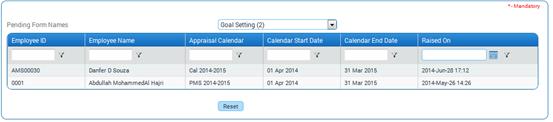
Key-in ‘Forms Pending for your Approval’ in ZOLOG search bar, and select ‘Goal Submission’ from the Pending Forms List.
On selecting the form name, the list of requests that are waiting for approval will be shown as below:
Click a record to view details of the Goals and approve. The Goal details will be displayed as shown here:
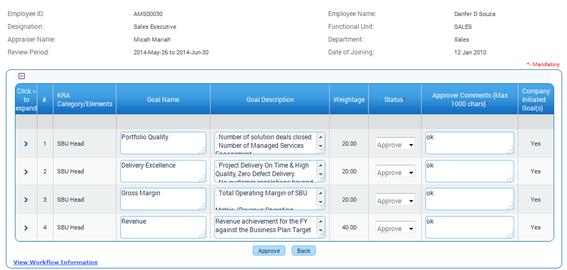
Click > to view Milestones of the Goals.
Select Status and enter Comments.
Click [Approve] to approve the Goal.
Post Activity
· Approved Goals will be available in the Self Appraisal form.