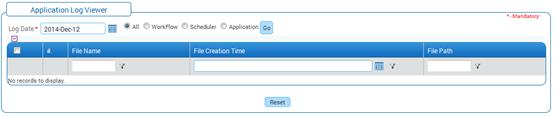
Application Log View
Why should I use this form?
This form is used to view the application log details that are generated in the Adrenalin application server. Available options are Workflow, Scheduler, Application, All. If Workflow is selected then log related to workflow will be listed in the form.
What are the Pre-requisites?
N/A
Who can access this form?
This form shall be visible to all employees to whom the visibility is given in Setup HRMS à Module Role Mapping/ Module Administration.
How to navigate to this form?
Administration à Setup HRMS à Log View.
1. Select the date to view the Log for the selected date.
2. Select the option.
· If ‘All’ is selected then the entire Log for the selected date will be shown.
· If ‘Workflow’ is selected, then, only workflow related Log will be shown.
· If ‘Scheduler’ is selected, then, only the scheduler related Log will be shown.
· If ‘Application’ is selected, then, only the Application Log will be shown.
3. Click [Go]. The log for the selected option will be populated in the form, as shown:
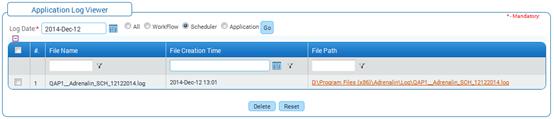
This log files can be deleted by selecting the check box and clicking the [Delete] button.
Click [Reset] to refresh the form.