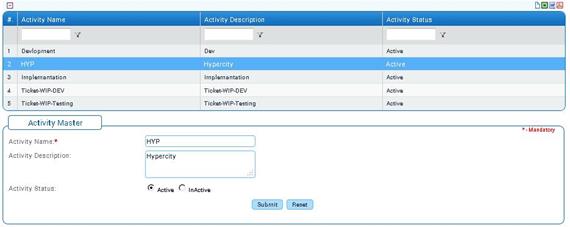
Timesheet Activity Master
Why should I use this form?
Use this form to create new activities. These activities will be available for selection during Activity Maintenance form.
What are the Pre-requisites?
N/A
Who can access this form?
This form shall be visible to all employees to whom the visibility is given in Setup HRMS ® Module Role Mapping/ Module Administration.
How to navigate to this form?
Workforce Administration àTimesheet Management à Timesheet Activity Master.
All the existing activities are listed in the grid. Use the filter section to filter records in the grid based on some condition.
The field guidelines are as follows:
Field Name |
Description |
Activity Name |
Enter Name of the Activity. |
Activity Description |
Enter description of the Activity. |
Activity Status |
By default, when creating a new Activity, its status will be ‘Active’. |
Click [Submit] to save the details.
Click [Reset] to refresh the form.